How to troubleshoot Exchange Online NDR errors
You need to troubleshoot an Exchange Online Non-Delivery Report (NDR) error. These kind of Exchange Online errors are email delivery or routing errors. This article provides guidance on how to troubleshoot Exchange Online NDR errors.
Solution
Section titled “Solution”Steps at high-level:
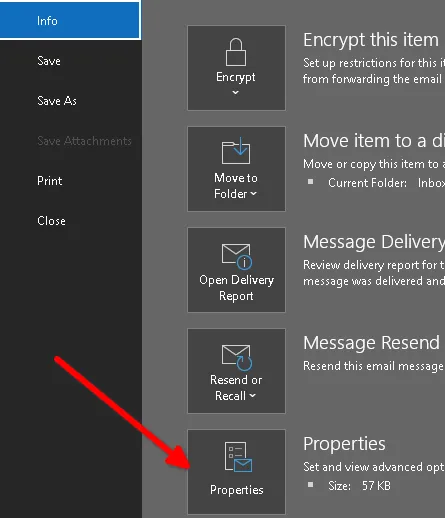
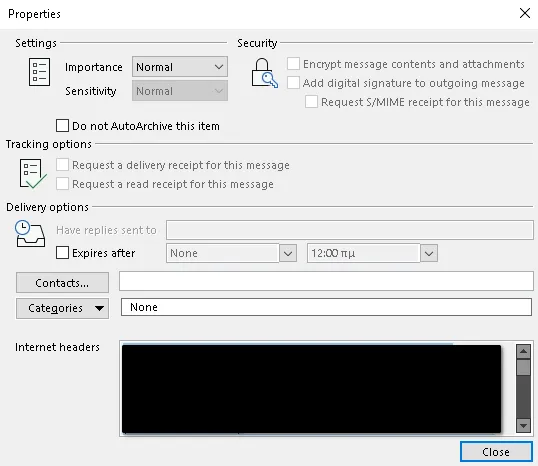
- Analyze SMTP message headers by using the Exchange Online admin portal. You can analyzer the headers also be taking the full Internet message header of the email message from the Microsoft Outlook client. You do this inside Outlook by opening your email message, clicking the File menu and choosing Properties. Then on the following page copy the Internet headers section content.
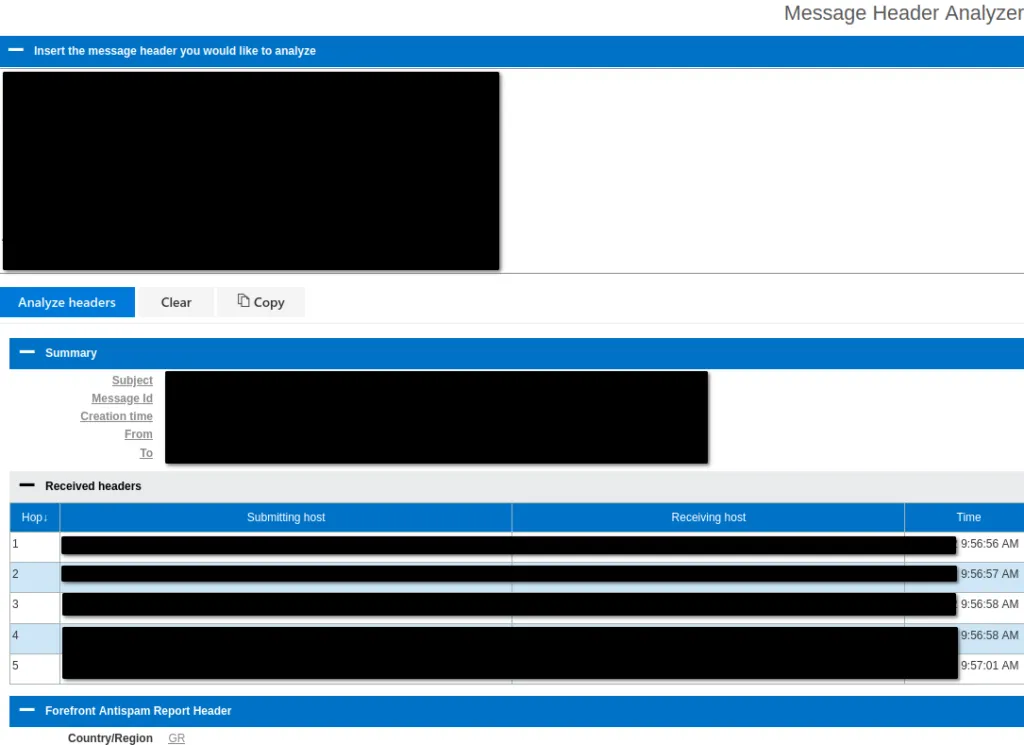
- Then you should paste the contents in the Microsoft message header analyzer tool: https://mha.azurewebsites.net/.
-
Identify if the NDR error has a known root cause and try to remediate the known root cause first. Consult the Microsoft official troubleshooting article which lists all the NDR known root causes and provides corresponding action items: https://docs.microsoft.com/en-us/exchange/mail-flow-best-practices/non-delivery-reports-in-exchange-online/non-delivery-reports-in-exchange-online. For example, for NDR error 5.1.10 “Recipient not found”, the interpretation of the error is “The recipient’s
<SMTP Address>wasn’t found by SMTP address lookup”. In this case the corresponding action items to fix the issue are provided at https://docs.microsoft.com/en-us/exchange/mail-flow-best-practices/non-delivery-reports-in-exchange-online/fix-error-code-550-5-1-10-in-exchange-online. -
If issue persists, check with the SMTP administrator of the recipient side. Before contacting the SMTP administrator of the recipient which is failing, ensure that you have run an overall health check of the recipient SMTP tenant by using the following free tools:
-
Microsoft Connectivity Analyzer: https://testconnectivity.microsoft.com/tests/o365.
-
Mxtoolbox performs an SMTP connectivity and health check: https://mxtoolbox.com/emailhealth and https://mxtoolbox.com/diagnostic.aspx.
-
Wormly test SMTP server tool: https://www.wormly.com/test-smtp-server/.
-
References
Section titled “References”https://docs.microsoft.com/en-us/exchange/troubleshoot/email-delivery/email-delivery-issues
4. TRACE-AI Execution Workflow
Section titled “4. TRACE-AI Execution Workflow”- Triage: Review monitoring dashboards or error metrics for initial anomaly spikes or timeout signatures.
- Record Evidence: Export service diagnostic logs, event viewers, or failure traces.
- Analyze: Correlate error signatures against known infrastructure or configuration limits.
- Correlate: Match active incident timeline against recent deployments or scale events.
- Execute & Verify: Apply corrective remediation steps and verify telemetry baseline recovery.
5. Vendor Documentation & Validation Guardrails
Section titled “5. Vendor Documentation & Validation Guardrails”- Authority Reference: Cross-reference configuration changes against official vendor documentation.
- Validation Gate: Require staging environment testing and Human-in-the-Loop SME approval before production changes.