How to transfer licenses between Microsoft 365 tenants
When performing a Microsoft 365 tenant to tenant migration, i.e. when migrating Microsoft 365 service data, including Exchange Online and Sharepoint Online, there is a silent assumption that the target tenant already has a working subscription and required licenses. But what if you simply need to move existing licenses from the source tenant to the target tenant?
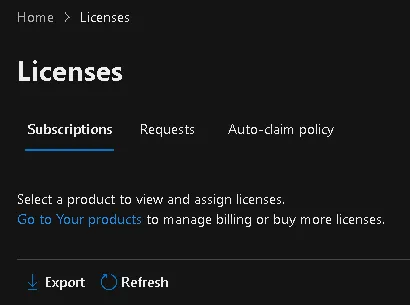
Solution
Section titled “Solution”As per Microsoft documentation the following information applies.
It is not possible to transfer licenses between 2 organizations (tenants). If you’re a Volume Licensing customer, contact the Volume License Service Center. Otherwise, follow these steps:
- If you’re no longer planning to use the tenant that you’d like to transfer from, you can cancel the subscription and purchase a new (target) tenant.
For some subscriptions, you can only cancel during a limited window of time after you buy or renew your subscription. If the cancellation window has passed, turn off recurring billing to cancel the subscription at the end of its term.
- If you’re planning to continue usage of the tenant that you’d like to transfer from, you can remove licenses you’ve purchased to reduce the cost and purchase those licenses in the other tenant.
- In either case, you may want to migrate mailboxes and other data:
For more relevant information, see Buy or remove licenses.
Remember that you may also create a Microsoft 365 support ticket requesting Microsoft to transfer/move Microsoft 365 licenses you already own between tenants, as described in the following Microsoft TechCommunity article: https://techcommunity.microsoft.com/t5/microsoft-365-apps-for/migrate-office-365-proplus-licenses-to-another-office-365-tenant/td-p/37380.
Sources
Section titled “Sources”4. TRACE-AI Execution Workflow
Section titled “4. TRACE-AI Execution Workflow”- Triage: Review monitoring dashboards or error metrics for initial anomaly spikes or timeout signatures.
- Record Evidence: Export service diagnostic logs, event viewers, or failure traces.
- Analyze: Correlate error signatures against known infrastructure or configuration limits.
- Correlate: Match active incident timeline against recent deployments or scale events.
- Execute & Verify: Apply corrective remediation steps and verify telemetry baseline recovery.
5. Vendor Documentation & Validation Guardrails
Section titled “5. Vendor Documentation & Validation Guardrails”- Authority Reference: Cross-reference configuration changes against official vendor documentation.
- Validation Gate: Require staging environment testing and Human-in-the-Loop SME approval before production changes.