How to resolve permissions error when exporting a HyperV VM
You need to carry out virtual machine exports from a certain HyperV host, either standalone or belonging to a cluster. When you try to export a VM, you receive one of the following error messages.
Failed to create export directly with error “General access denied error (0x80070005)”.
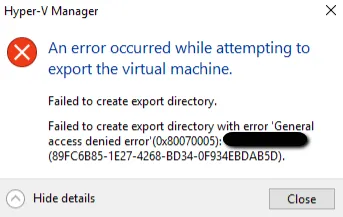
Or
Failed to create export directly with error “The system cannot find the path specified (0x80070003)”.
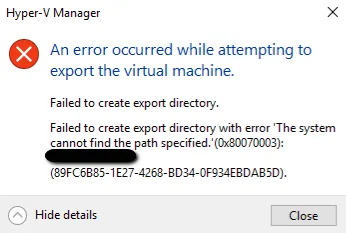
This KB article provides guidance on how to resolve permissions error when exporting a HyperV VM.
Solution
Section titled “Solution”Ensure that you set permissions properly at SMB and NTFS level on the target storage folder where the VM exports will be saved. These NTFS and SMB permissions include the following ACL entries:
- Grant yourself (your user) with full SMB and NTFS permissions on the target storage folder and SMB share.
- Grant the HyperV host computer object with same full SMB and NTFS permissions.
To point to the target storage folder, either make use of the full UNC path from the SMB share or create a persistent local disk mount on the HyperV server where the desired VM resides.
The other thing you have to be aware of is that you may need to run the export procedure from the HyperV manager console or from Powershell prompt on the HyperV host which hosts the VM to be exported. If you try to run HyperV manager or Powershell remotely from another HyperV host or machine with remote server administration tools installed, you will need to ensure that Powershell remoting and WinRM are properly configured.
After having carried out the above, you should now be able to successfully carry out the VM export from the HyperV manager console.

References
Section titled “References”4. TRACE-AI Execution Workflow
Section titled “4. TRACE-AI Execution Workflow”- Triage: Review monitoring dashboards or error metrics for initial anomaly spikes or timeout signatures.
- Record Evidence: Export service diagnostic logs, event viewers, or failure traces.
- Analyze: Correlate error signatures against known infrastructure or configuration limits.
- Correlate: Match active incident timeline against recent deployments or scale events.
- Execute & Verify: Apply corrective remediation steps and verify telemetry baseline recovery.
5. Vendor Documentation & Validation Guardrails
Section titled “5. Vendor Documentation & Validation Guardrails”- Authority Reference: Cross-reference configuration changes against official vendor documentation.
- Validation Gate: Require staging environment testing and Human-in-the-Loop SME approval before production changes.