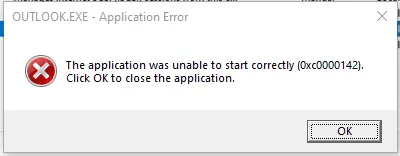
How to resolve error updating office please wait a moment followed by the application was unable to start correctly (0xc0000142)
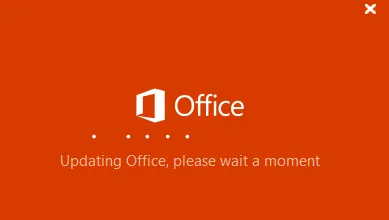
After a recent Windows Update or Office Update you come across the following warning and subsequent error when you try to launch any Office application.
Solution
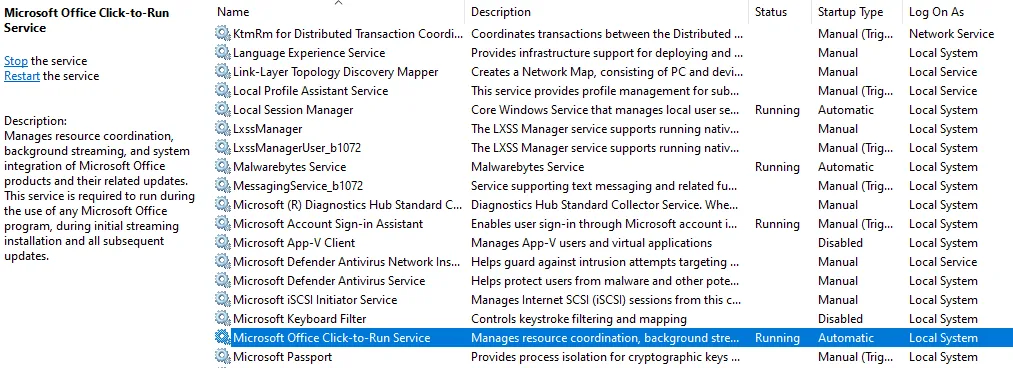
Section titled “Solution”First step is to restart the Microsoft Office Click to Run service.
If the above fails, try the following steps:
- Run a Microsoft Office Online Repair from the control panel. Click on the Microsoft Office application record in the list of installed programs and click “Change”, then choose “Online Repair”.
- Run sfc /scannow in an elevated command prompt.
- Run
DISM.exe /Online /Cleanup-image /Restorehealthin an elevated command prompt. - Run following commands in elevated command prompt for re-registering .dll and .ocx files.
for %i in (%windir%\system32\*.dll) do regsvr32.exe /s %ifor %i in (%windir%\system32\*.ocx) do regsvr32.exe /s %i
4. TRACE-AI Execution Workflow
Section titled “4. TRACE-AI Execution Workflow”- Triage: Review monitoring dashboards or error metrics for initial anomaly spikes or timeout signatures.
- Record Evidence: Export service diagnostic logs, event viewers, or failure traces.
- Analyze: Correlate error signatures against known infrastructure or configuration limits.
- Correlate: Match active incident timeline against recent deployments or scale events.
- Execute & Verify: Apply corrective remediation steps and verify telemetry baseline recovery.
5. Vendor Documentation & Validation Guardrails
Section titled “5. Vendor Documentation & Validation Guardrails”- Authority Reference: Cross-reference configuration changes against official vendor documentation.
- Validation Gate: Require staging environment testing and Human-in-the-Loop SME approval before production changes.