How to resolve error Cannot find the X.509 certificate using the following search criteria in Azure App Service
You need to make use of a self-signed or public certificate in your Azure App Service application code. You upload the TLS certificate and activate any required SNI/IP TLS binding for the domain(s) covered by the certificate and you try to invoke the certificate usage in your Azure App Service application by using the following statement in your application code configuration file.
<serviceCertificate findValue="CN=myapp.mydomain.com" storeLocation="LocalMachine" storeName="My" x509FindType="FindBySubjectName" />You encounter the following runtime error when running your application code.
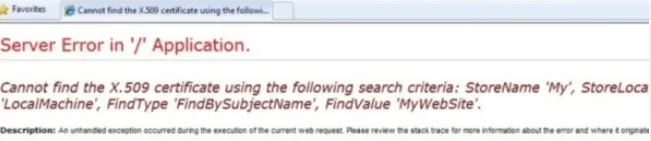
Cannot find the X.509 certificate using the following search criteria.
Solution
Section titled “Solution”To resolve this error, you can try the following steps.
- Firstly, ensure that your certificate thumbprint is declared as an App Service application setting named “WEBSITE_LOAD_CERTIFICATES” , as shown below. You should submit the affected certificate’s thumbprint and click “Save” to apply the changes and have your App Service restarted.
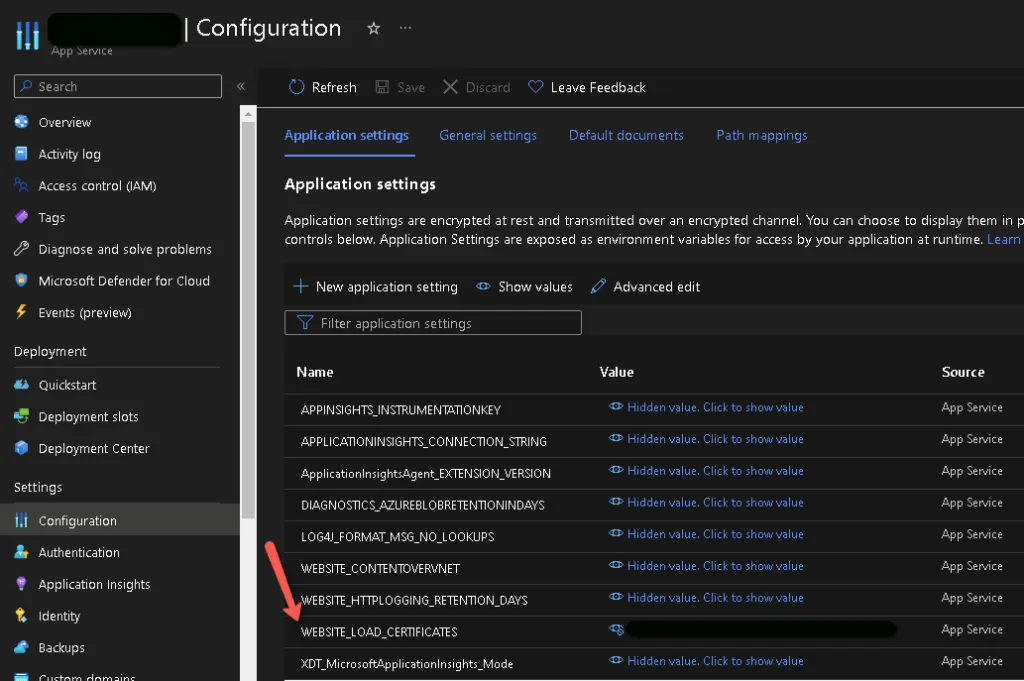
Alternatively, you can add the above App Service setting via Azure CLI with the following command.
az webapp config appsettings set --name <app-name> --resource-group <resource-group-name> --settings WEBSITE_LOAD_CERTIFICATES=<comma-separated-certificate-thumbprints>- If the above does not resolve the issue, try changing your application code configuration file statement from the following
<serviceCertificate findValue="CN=myapp.mydomain.com" storeLocation="LocalMachine" storeName="My" x509FindType="FindBySubjectName" />to any of the following statements.
Option 1
Option 2
The WEBSITE_LOAD_CERTIFICATES app setting makes the specified certificates accessible to your Windows hosted app in the Windows certificate store, in Current User\My. In C# code, you access the certificate by the certificate thumbprint.
If you need to access a TLS certificate from an App Service container solution, follow the guidance in the following MS Learn article: https://learn.microsoft.com/en-us/azure/app-service/configure-ssl-certificate-in-code.
4. TRACE-AI Execution Workflow
Section titled “4. TRACE-AI Execution Workflow”- Triage: Review monitoring dashboards or error metrics for initial anomaly spikes or timeout signatures.
- Record Evidence: Export service diagnostic logs, event viewers, or failure traces.
- Analyze: Correlate error signatures against known infrastructure or configuration limits.
- Correlate: Match active incident timeline against recent deployments or scale events.
- Execute & Verify: Apply corrective remediation steps and verify telemetry baseline recovery.
5. Vendor Documentation & Validation Guardrails
Section titled “5. Vendor Documentation & Validation Guardrails”- Authority Reference: Cross-reference configuration changes against official vendor documentation.
- Validation Gate: Require staging environment testing and Human-in-the-Loop SME approval before production changes.