How to register a Web3 domain name
This KB article provides guidance on how to register a Web3 domain name.
Solution
Section titled “Solution”You can use Web3 domain name registars to register your own Web3 domain name and build a distributed app or website on it. Some of the most popular domain name registars in Web3 are the following:
In this article, we will utilize Unstoppable domains for registering a new Web3 domain, by carrying out the following steps.
Navigate to https://unstoppabledomains.com/ and type in the desired domain name in the “Search for your new domain” field and click “Search”. Let’s go for a search for domain “Stefanos.eth”.
After clicking “Search”, we are presented with a full list of available Web3 domains (TLD).
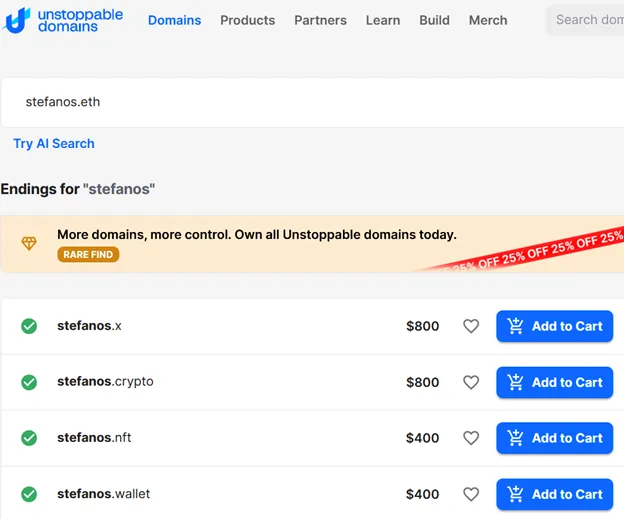
If we scroll down this list, we can see that “Stefanos.eth” is already registered to an existing Web3 profile.
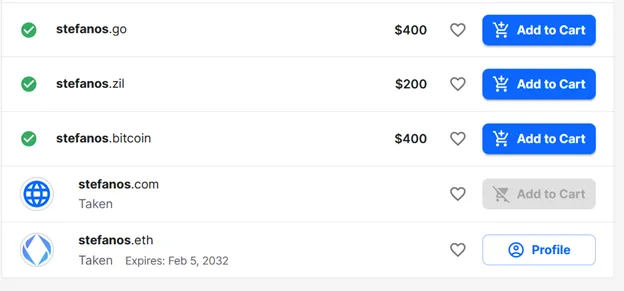
We choose a domain of our choice and click “Add to Cart”, then click on “Continue to Cart”. After making the purchase, you should be able to configure your newnly bought domain and link it to existing Web2 sites and social media profiles.
4. TRACE-AI Execution Workflow
Section titled “4. TRACE-AI Execution Workflow”- Triage: Review monitoring dashboards or error metrics for initial anomaly spikes or timeout signatures.
- Record Evidence: Export service diagnostic logs, event viewers, or failure traces.
- Analyze: Correlate error signatures against known infrastructure or configuration limits.
- Correlate: Match active incident timeline against recent deployments or scale events.
- Execute & Verify: Apply corrective remediation steps and verify telemetry baseline recovery.
5. Vendor Documentation & Validation Guardrails
Section titled “5. Vendor Documentation & Validation Guardrails”- Authority Reference: Cross-reference configuration changes against official vendor documentation.
- Validation Gate: Require staging environment testing and Human-in-the-Loop SME approval before production changes.