How to provision an Azure local network gateway
The local network gateway is an Azure resource which represents an on-premises location (your site) for routing purposes. You give the site a name by which Azure can refer to it and also provide the public IP address of your on-premises VPN gateway (VPN peer), as well as the private IP space ranges in CIDR format of your local VPN gateway. In case your on-premises VPN gateway IP configuration changes, you can reflect these changes to the Azure local network gateway resource configuration.
This quick tutorial provides a step-by-step procedure for provisioning a new Azure local network gateway.
Solution
Section titled “Solution”Follow the procedure below in the Azure management portal, to create a new Azure local gateway.
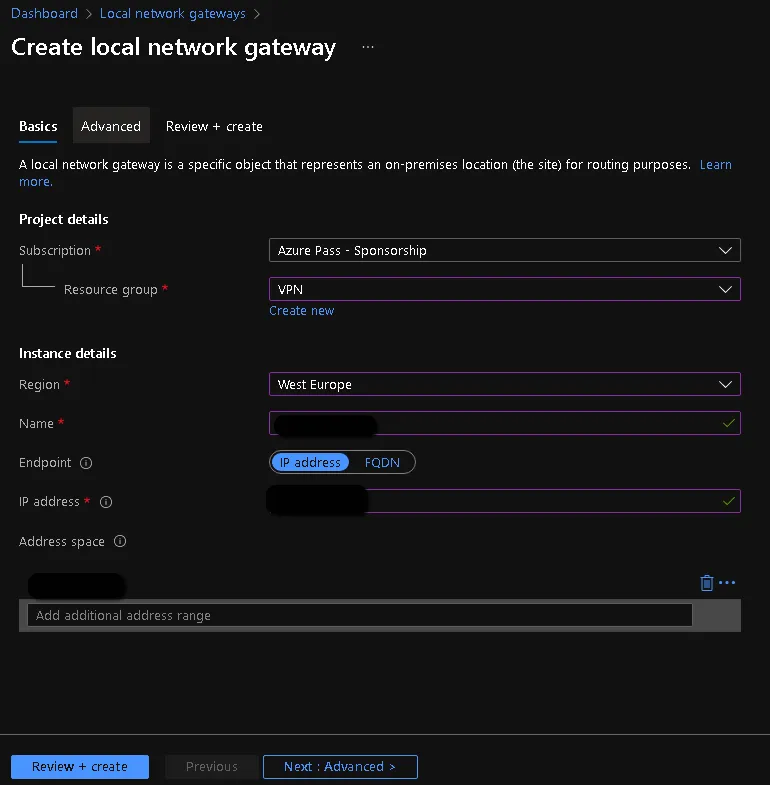
- In the search field of Azure portal, search for local network gateway. On the Basics tab, provide the public IP address and private IP address ranges in CIDR format from your on-premises (local) VPN gateway setup. Click Next: Advanced to continue.
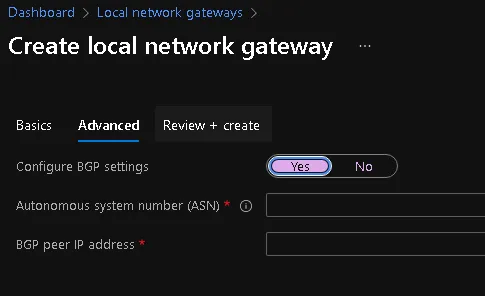
- Onthe Advanced tab, you can optionally provide BGP configuration data or leave the “Configure BGP settings” field to “no”. Click on “Review+create to continue.
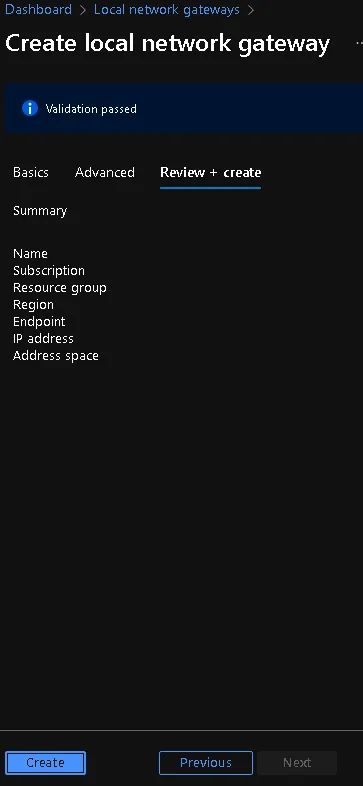
- Upon successful validation, click on the “Create” button to complete the provisioning of the Azure local network gateway.
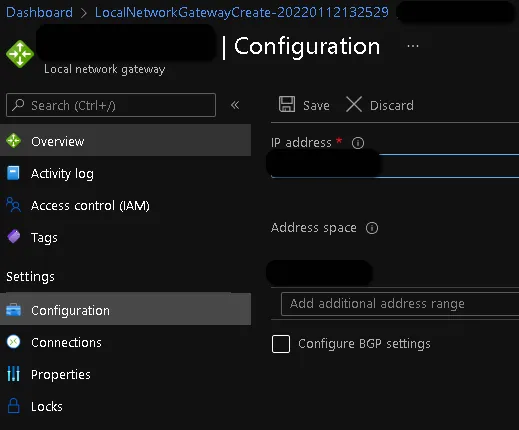
You can always change the IP configuration if something changes in your local VPN gateway, by navigating to the “Configuration” pane under the settings section of the local network gateway resource.
4. TRACE-AI Execution Workflow
Section titled “4. TRACE-AI Execution Workflow”- Triage: Review monitoring dashboards or error metrics for initial anomaly spikes or timeout signatures.
- Record Evidence: Export service diagnostic logs, event viewers, or failure traces.
- Analyze: Correlate error signatures against known infrastructure or configuration limits.
- Correlate: Match active incident timeline against recent deployments or scale events.
- Execute & Verify: Apply corrective remediation steps and verify telemetry baseline recovery.
5. Vendor Documentation & Validation Guardrails
Section titled “5. Vendor Documentation & Validation Guardrails”- Authority Reference: Cross-reference configuration changes against official vendor documentation.
- Validation Gate: Require staging environment testing and Human-in-the-Loop SME approval before production changes.