How to mount Azure Storage as a local share in Azure App Service
You need to mount an Azure storage account (block blob storage container or Azure files storage) to an Azure App Service instance. Most often this is needed for allocating some extra storage space to be exposed natively to your App Service, instead of using the native “c/home/site/wwwroot” file system quota. This article provides guidance on how to mount Azure Storage as a local share in Azure App Service.
Solution
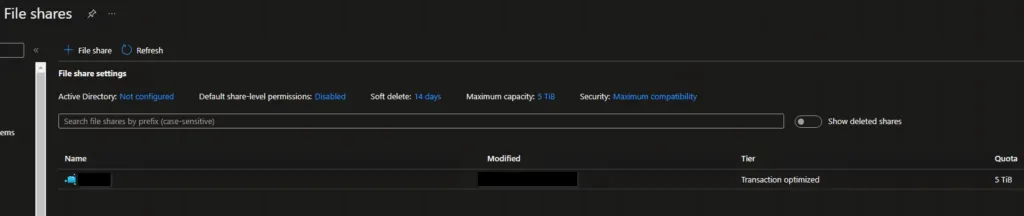
Section titled “Solution”You first need to provision an Azure storage account and create either a block blob container or an Azure files file share.
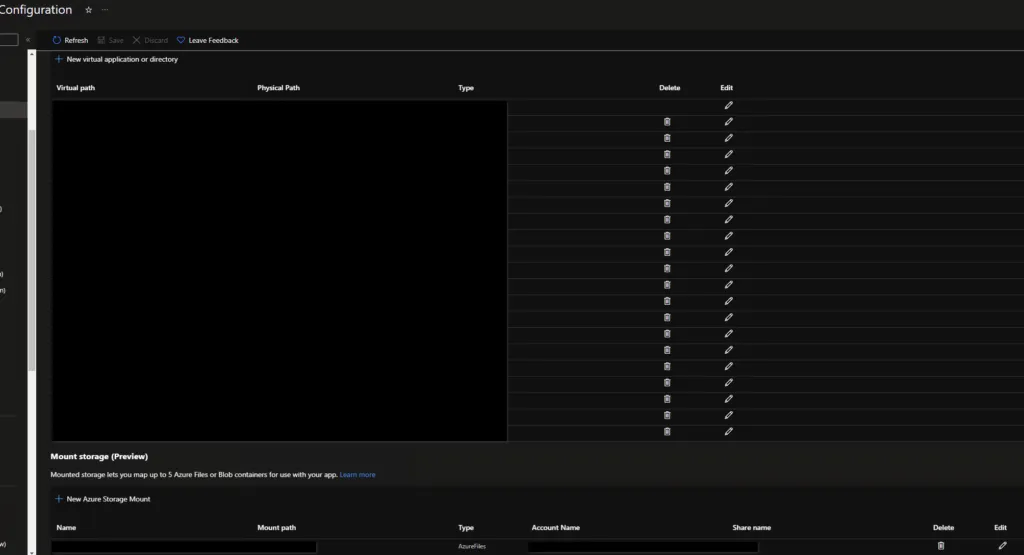
Then from the Azure App Service blade in the Azure portal, navigate to “Settings –> Configuration –> Path Mappings” and click on “New Azure Storage Mount”.
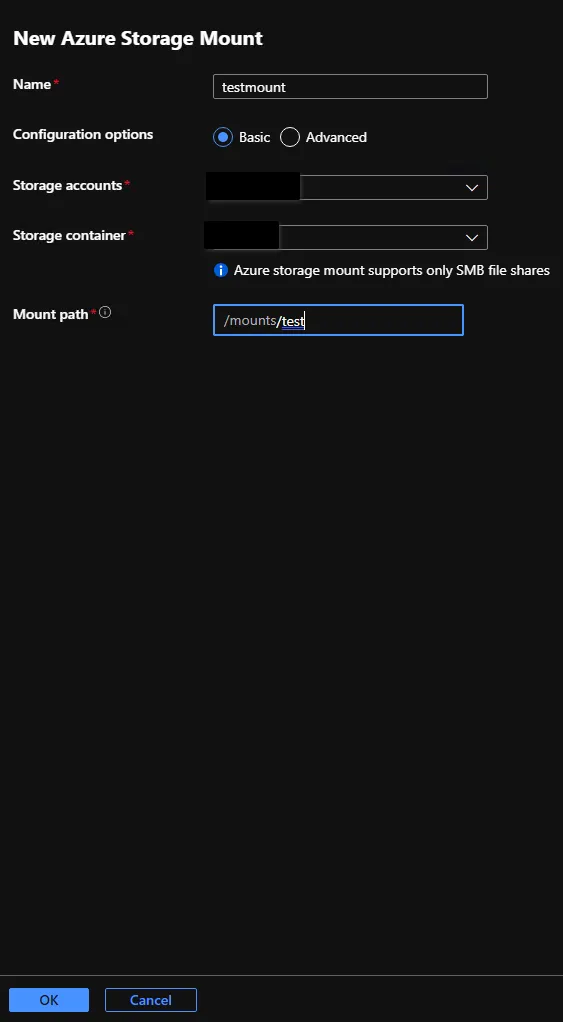
Provide all the Azure storage mount configuration and click OK to create the mount.
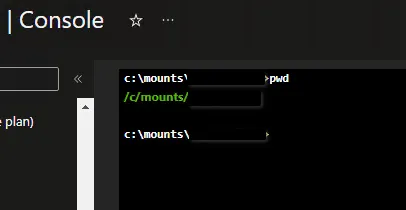
The Azure storage mount should now be available from your Azure App Service code by using any of the paths shown in the following example.
/c/mounts/test
/mounts/test
C:\mounts\test
Mounting an Azure storage account to Azure App Service is currently (as of November 2022) an Azure preview service whose functionality is described at: https://azure.microsoft.com/en-us/updates/public-preview-azure-storage-as-share-in-windows-code-in-app-service/.
A detailed step-by-step guide is also provided by Microsoft at: https://learn.microsoft.com/en-us/azure/app-service/configure-connect-to-azure-storage?tabs=portal&pivots=code-windows.
4. TRACE-AI Execution Workflow
Section titled “4. TRACE-AI Execution Workflow”- Triage: Review monitoring dashboards or error metrics for initial anomaly spikes or timeout signatures.
- Record Evidence: Export service diagnostic logs, event viewers, or failure traces.
- Analyze: Correlate error signatures against known infrastructure or configuration limits.
- Correlate: Match active incident timeline against recent deployments or scale events.
- Execute & Verify: Apply corrective remediation steps and verify telemetry baseline recovery.
5. Vendor Documentation & Validation Guardrails
Section titled “5. Vendor Documentation & Validation Guardrails”- Authority Reference: Cross-reference configuration changes against official vendor documentation.
- Validation Gate: Require staging environment testing and Human-in-the-Loop SME approval before production changes.