How to mount and manage iscsi shares on Linux Ubuntu
This article provides instructions on how to mount and manage iscsi shares on Linux Ubuntu.
Solution
Section titled “Solution”To mount and manage iSCSI shares on Linux Ubuntu, follow the step-by-step procedure below:
- Install iSCSI Initiator packages
sudo apt updatesudo apt install open-iscsi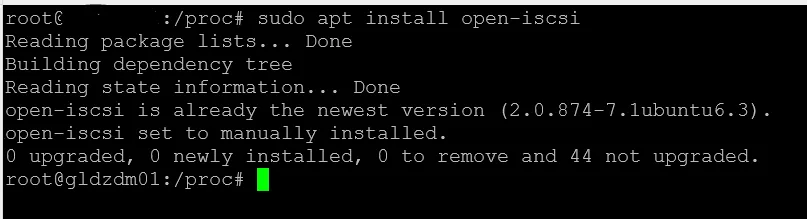
Discover the available iSCSI targets:
sudo iscsiadm --mode discoverydb --type sendtargets --portal <iSCSI_server_IP_address> --discoverReplace <iSCSI_server_IP_address> with the IP address of the iSCSI server.
For example:
sudo iscsiadm --mode discoverydb --type sendtargets --portal 192.168.0.100 --discoverList the discovered iSCSI targets:
sudo iscsiadm --mode nodeYou should see the discovered iSCSI target(s) listed.
Log in to the desired iSCSI target:
sudo iscsiadm --mode node --targetname <iSCSI_target_name> --portal <iSCSI_server_IP_address> --loginReplace <iSCSI_target_name> with the name of the iSCSI target and <iSCSI_server_IP_address> with the IP address of the iSCSI server.
For example:
sudo iscsiadm --mode node --targetname iqn.2021-09.com.example:target --portal 192.168.0.100 --loginVerify the iSCSI session is established:
sudo iscsiadm --mode sessionYou should see the active iSCSI session listed.
Display the available iSCSI disks:
lsblkThe iSCSI disks should be visible as new devices.
Partition and format the iSCSI disk:
sudo parted /dev/sdX -- mklabel gptsudo parted /dev/sdX -- mkpart primary ext4 0% 100%sudo mkfs.ext4 /dev/sdX1Replace /dev/sdX with the appropriate device identifier for the iSCSI disk.
Create a directory to serve as the mount point for the iSCSI share:
sudo mkdir /mnt/iscsi_shareMount the iSCSI share to the specified directory:
sudo mount /dev/sdX1 /mnt/iscsi_shareReplace /dev/sdX1 with the appropriate partition for the iSCSI share.
Verify the iSCSI share is mounted successfully:
df -hThis command will display the mounted file systems, and you should see the iSCSI share listed.
Make the iSCSI share mount automatically at system startup: Edit the /etc/fstab file using a text editor such as nano or vim:
sudo nano /etc/fstabAdd the following line at the end of the file:
/dev/sdX1 /mnt/iscsi_share ext4 defaults 0 0Replace /dev/sdX1 with the appropriate partition for the iSCSI share.
Save the changes and exit the text editor.
Unmount the iSCSI share:
sudo umount /mnt/iscsi_shareDisconnect the iSCSI session:
sudo iscsiadm --mode node --targetname <iSCSI_target_name> --portal <iSCSI_server_IP_address> --logoutReplace <iSCSI_target_name> with the name of the iSCSI target and <iSCSI_server_IP_address> with the IP address of the iSCSI server.
Remove the iSCSI target from the discovery database:
sudo iscsiadm --mode node --targetname <iSCSI_target_name> --portal <iSCSI_server_IP_address> --op delete# Replace <iSCSI_target_name> with the name of the iSCSI target and <iSCSI_server_IP_address> with the IP address of the iSCSI server.Remember to replace <iSCSI_server_IP_address> and <iSCSI_target_name> in the above commands with the appropriate values for your iSCSI server and target. Additionally, ensure you have the necessary permissions and access to the iSCSI server and target before attempting to establish the connection.
4. TRACE-AI Execution Workflow
Section titled “4. TRACE-AI Execution Workflow”- Triage: Review monitoring dashboards or error metrics for initial anomaly spikes or timeout signatures.
- Record Evidence: Export service diagnostic logs, event viewers, or failure traces.
- Analyze: Correlate error signatures against known infrastructure or configuration limits.
- Correlate: Match active incident timeline against recent deployments or scale events.
- Execute & Verify: Apply corrective remediation steps and verify telemetry baseline recovery.
5. Vendor Documentation & Validation Guardrails
Section titled “5. Vendor Documentation & Validation Guardrails”- Authority Reference: Cross-reference configuration changes against official vendor documentation.
- Validation Gate: Require staging environment testing and Human-in-the-Loop SME approval before production changes.