How to manage Citrix ADC via NITRO Powershell API
You need to manage your Citrix ADC standalone appliance, ha pair or cluster remotely via the Citrix ADC Nitro API by using Powershell.
Solution
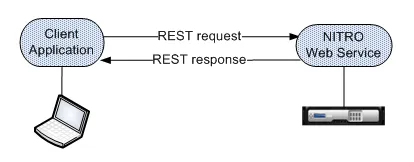
Section titled “Solution”The Citrix ADC NITRO protocol allows you to configure and monitor the Citrix ADC appliance programmatically by using Representational State Transfer (REST) interfaces.
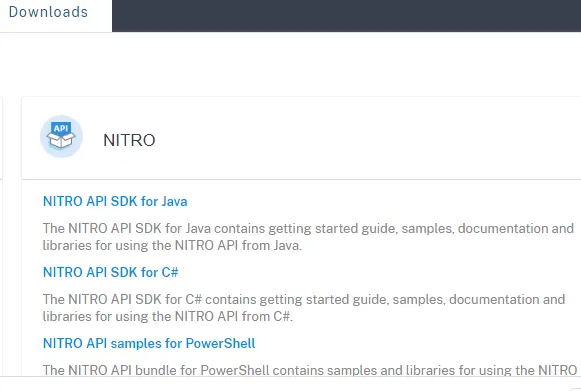
The NITRO package is available as a tar file on the Downloads page of the configuration utility of the Citrix ADC appliance.
You must download and untar the file to a folder on your local system. The folder contains the NITRO libraries in the lib subfolder. The libraries must be added to the client application classpath to access NITRO functionality. The folder also provides samples and documentation that can help you understand the NITRO SDK. Detailed documentation for NITRO API can also be found at: https://developer-docs.citrix.com/projects/citrix-adc-nitro-api-reference/en/latest/.
The following Powershell scripts are available for NITRO:
Sources
Section titled “Sources”https://docs.citrix.com/en-us/citrix-adc/current-release/nitro-api.html
https://developer-docs.citrix.com/projects/citrix-adc-nitro-api-reference/en/latest/
https://www.carlstalhood.com/netscaler-scripting/
4. TRACE-AI Execution Workflow
Section titled “4. TRACE-AI Execution Workflow”- Triage: Review monitoring dashboards or error metrics for initial anomaly spikes or timeout signatures.
- Record Evidence: Export service diagnostic logs, event viewers, or failure traces.
- Analyze: Correlate error signatures against known infrastructure or configuration limits.
- Correlate: Match active incident timeline against recent deployments or scale events.
- Execute & Verify: Apply corrective remediation steps and verify telemetry baseline recovery.
5. Vendor Documentation & Validation Guardrails
Section titled “5. Vendor Documentation & Validation Guardrails”- Authority Reference: Cross-reference configuration changes against official vendor documentation.
- Validation Gate: Require staging environment testing and Human-in-the-Loop SME approval before production changes.