How to manage a Microsoft 365 tenant as CSP
This article provides guidance on how to manage a Microsoft 365 tenant as CSP. The article is also available in my podcast.
You are an IT administrator of a Microsoft Cloud Service Provider (CSP) and you need to be able to manage all CSP tenants’ Microsoft 365 subscriptions, either from a single pane of glass or individually. This article will provide high-level guidance about how to manage a Microsoft 365 tenant as CSP.
Solution
Section titled “Solution”You have the following options for managing a Microsoft 365 tenant as CSP.
-
Ask your M365 customer to create a new admin user for you with all the required Azure AD and Microsoft 365 security roles required. In this case there is not any other trust relationship between the CSP and the end-customer. This is a quick solution but not the best practice in terms of security and governance. See below options for more details.
-
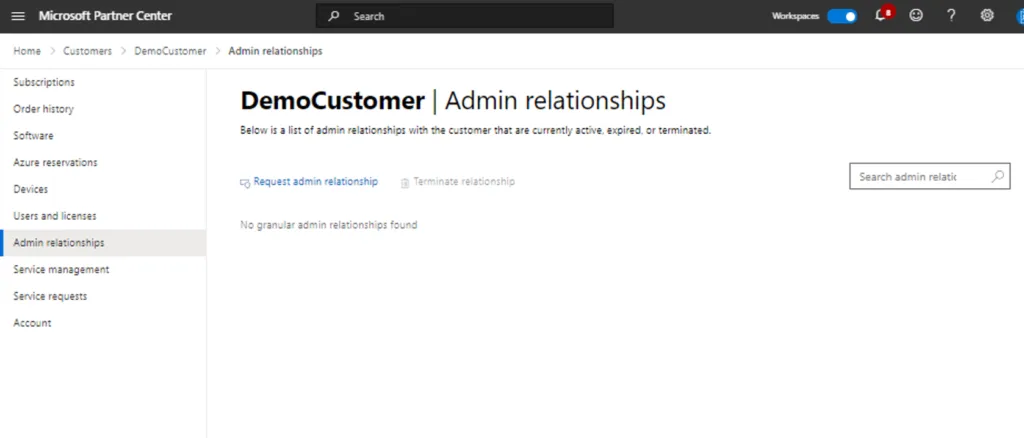
Establish a CSP Reseller with the end customer. This is accomplished by generating and sharing a a trust relationship activation link (URL) which is shared with the customer for them to approve. This allows you to access your customer’s M365 tenant as a global admin user from a single management console which aggregates all your CSP M365 customers. For a step-by-step procedure, refer to the following articles: https://docs.microsoft.com/en-us/partner-center/request-a-relationship-with-a-customer and https://docs.microsoft.com/en-us/partner-center/customers-revoke-admin-privileges#invitesteps.
-
Via the GDAP (Granular Delegated Admin Privileges) tool. This is a new tool which is available in the Microsoft Partner Center. This allows you (the CSP) to create a custom URL which activates custom permissions for a specific time window. This is the recommended solution in cases where the end customer does not want to accept a permanent CSP reseller relationship. More details on the Microsoft GDAP tool can be found at https://docs.microsoft.com/en-us/partner-center/gdap-obtain-admin-permissions-to-manage-customer. You should also review the following article: https://docs.microsoft.com/en-us/partner-center/gdap-least-privileged-roles-by-task. This article provides guidance to CSP partners on which least-privileged Azure Active Directory (Azure AD) built-in role can be used for each granular delegated admin privileges (GDAP) capability.
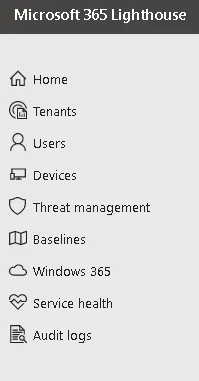
- Certain M365 tenant management and monitoring features can also be utilized via the Microsoft Lighthouse for Microsoft 365 service.
4. TRACE-AI Execution Workflow
Section titled “4. TRACE-AI Execution Workflow”- Triage: Review monitoring dashboards or error metrics for initial anomaly spikes or timeout signatures.
- Record Evidence: Export service diagnostic logs, event viewers, or failure traces.
- Analyze: Correlate error signatures against known infrastructure or configuration limits.
- Correlate: Match active incident timeline against recent deployments or scale events.
- Execute & Verify: Apply corrective remediation steps and verify telemetry baseline recovery.
5. Vendor Documentation & Validation Guardrails
Section titled “5. Vendor Documentation & Validation Guardrails”- Authority Reference: Cross-reference configuration changes against official vendor documentation.
- Validation Gate: Require staging environment testing and Human-in-the-Loop SME approval before production changes.