How to install Microsoft 365 apps on any device
You have a Microsoft 365 license allowing you to install Microsoft 365 apps on your supported device.
Solution
Section titled “Solution”Microsoft provides step-by-step guides on how to install Microsoft 365 apps, such as Microsoft Outlook, on any device. Refer to the guide applicable to your device and operating system as per the below links:
- Download and install Microsoft 365 apps on a PC or Mac. Also if you are using a Surface Pro tablet, you can install Office and email as you would on a desktop computer.
- How to set up email on Outlook for PC
- Set up Microsoft 365 on Android mobile devices
- Set up Microsoft 365 on iOS devices
- How to set up email on a BlackBerry
- Install Microsoft 365 mobile apps on Chromebooks
- How to set up email on a Nokia (Symbian OS) phone
- How to set up email on Windows Mobile 6.5
- How to set up email on other Internet-capable phones and tablets
Note
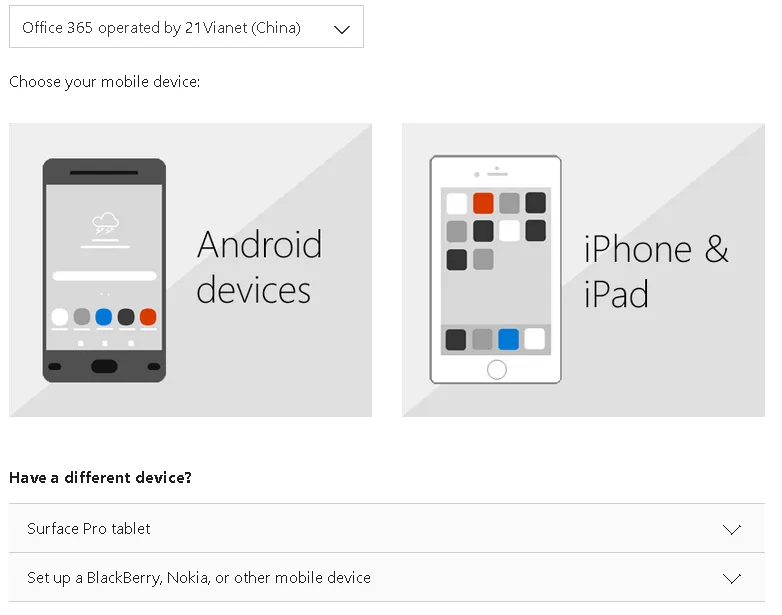
If you are accessing Microsoft 365 cloud services from an IP network in China, you need to follow special instructions from 67e0b1f014f (choose “Office 365 operated by 21Vianet (China)” option).
4. TRACE-AI Execution Workflow
Section titled “4. TRACE-AI Execution Workflow”- Triage: Review monitoring dashboards or error metrics for initial anomaly spikes or timeout signatures.
- Record Evidence: Export service diagnostic logs, event viewers, or failure traces.
- Analyze: Correlate error signatures against known infrastructure or configuration limits.
- Correlate: Match active incident timeline against recent deployments or scale events.
- Execute & Verify: Apply corrective remediation steps and verify telemetry baseline recovery.
5. Vendor Documentation & Validation Guardrails
Section titled “5. Vendor Documentation & Validation Guardrails”- Authority Reference: Cross-reference configuration changes against official vendor documentation.
- Validation Gate: Require staging environment testing and Human-in-the-Loop SME approval before production changes.