How to enable the Microsoft 365 audit log
You need to enable the universal audit log in Microsoft 365. This is useful for monitoring and reporting on user and administrator activity and proactively increasing the security levels of your Microsoft 365 organization. This article provides step by step guidance on how to enable the Microsoft 365 audit log in the Purview portal and via Powershell.
Solution
Section titled “Solution”Via the Microsoft 365 Purview portal
Section titled “Via the Microsoft 365 Purview portal”To enable the Microsoft 365 universal audit log, carry out the steps below.
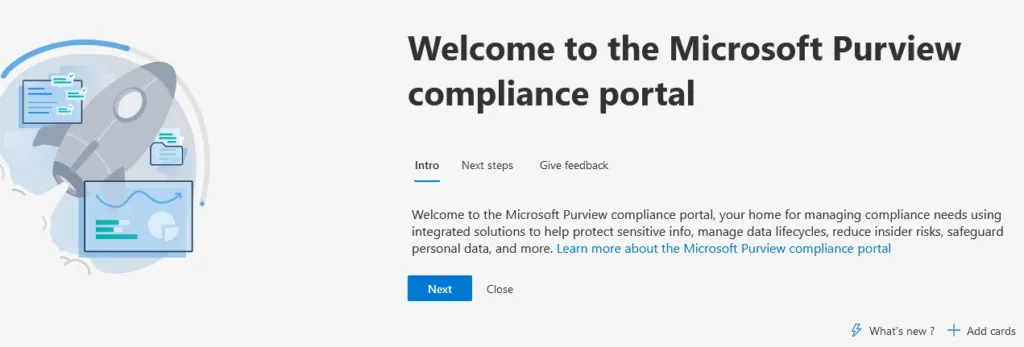
- Login to your Microsoft 365 organization’s Purview portal at https://compliance.microsoft.com by using either a global admin account or (preferably) a security admin or other Microsoft Purview applicable RBAC role.
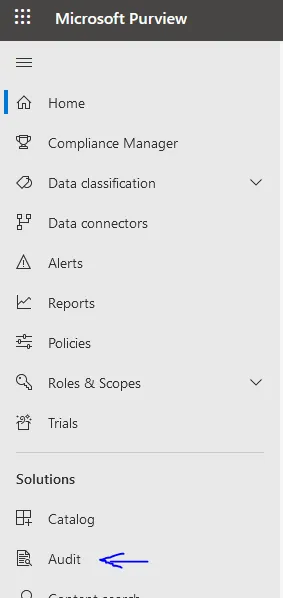
- On the left pane navigate to Solutions –> Audit.
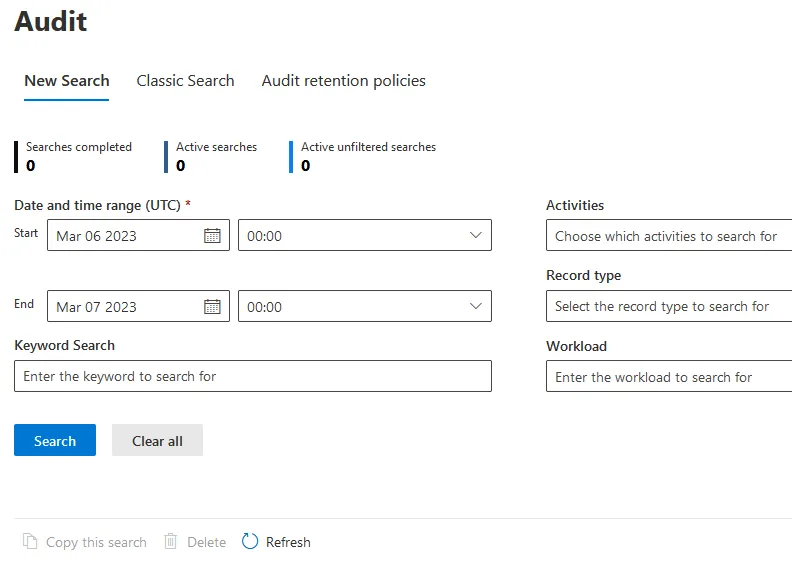
- If the audit log is already enabled, this page will immediately allow you to perform filtered searches, as shown below.
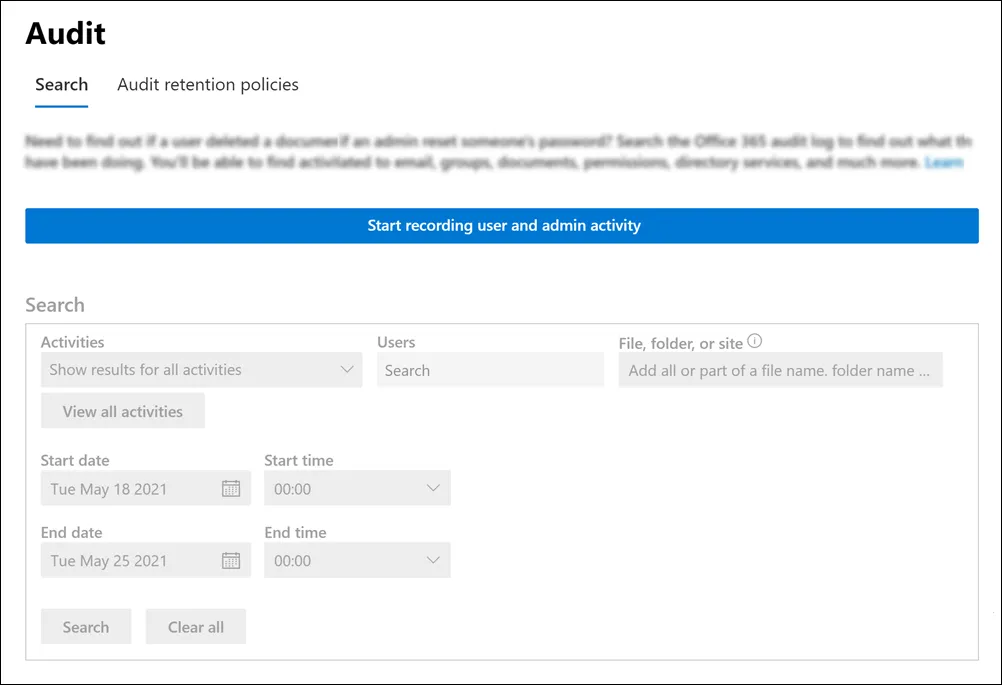
- If the audit log is not enabled, you will be prompted with the below notification. Click on “” to active the Microsoft 365 audit log.
Via Powershell
Section titled “Via Powershell”Carry out the steps below.
-
Connect to Exchange Online via Powershell. Consult a separate KB article on how to accomplish this.
-
Run the following Powershell cmdlet to turn on Microsoft 365 auditing.
Set-AdminAuditLogConfig -UnifiedAuditLogIngestionEnabled $trueA message will be displayed stating that it may take up to 60 minutes for the change to take effect.
4. TRACE-AI Execution Workflow
Section titled “4. TRACE-AI Execution Workflow”- Triage: Review monitoring dashboards or error metrics for initial anomaly spikes or timeout signatures.
- Record Evidence: Export service diagnostic logs, event viewers, or failure traces.
- Analyze: Correlate error signatures against known infrastructure or configuration limits.
- Correlate: Match active incident timeline against recent deployments or scale events.
- Execute & Verify: Apply corrective remediation steps and verify telemetry baseline recovery.
5. Vendor Documentation & Validation Guardrails
Section titled “5. Vendor Documentation & Validation Guardrails”- Authority Reference: Cross-reference configuration changes against official vendor documentation.
- Validation Gate: Require staging environment testing and Human-in-the-Loop SME approval before production changes.