How to download the latest build of Acronis software
You need to download the latest version of the Acronis Backup, Acronis Cyber Protect or other Acronis BCDR software.
Solution
Section titled “Solution”You can use the installation file for a completely new installation as well as to install an update/upgrade over the existing installation.
Step-by-step software build download instructions for all Acronis products are provided at:
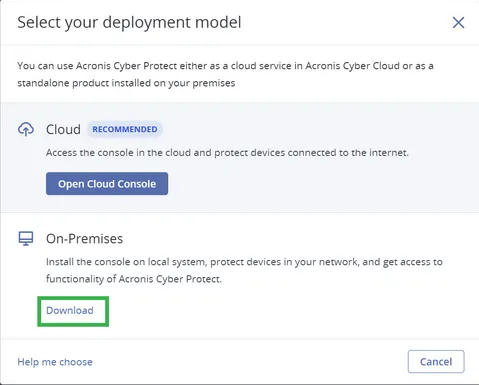
Note for users with already existing Acronis software installations: if you don’t know which build you have currently installed, check the build number of your product as described here. To see the newest build number, please go to Product Updates page.
Also if you are interested in applying the latest update of any Acronis product, the following KB article provides all the details, step-by-step :
https://kb.acronis.com/content/1541
Source
Section titled “Source”https://kb.acronis.com/content/1541
4. TRACE-AI Execution Workflow
Section titled “4. TRACE-AI Execution Workflow”- Triage: Review monitoring dashboards or error metrics for initial anomaly spikes or timeout signatures.
- Record Evidence: Export service diagnostic logs, event viewers, or failure traces.
- Analyze: Correlate error signatures against known infrastructure or configuration limits.
- Correlate: Match active incident timeline against recent deployments or scale events.
- Execute & Verify: Apply corrective remediation steps and verify telemetry baseline recovery.
5. Vendor Documentation & Validation Guardrails
Section titled “5. Vendor Documentation & Validation Guardrails”- Authority Reference: Cross-reference configuration changes against official vendor documentation.
- Validation Gate: Require staging environment testing and Human-in-the-Loop SME approval before production changes.