How to design Azure architecture diagrams
You need to create an Azure architecture diagram for your project. Following a full technical and business assessment of your customer, in the scope of an Azure migration project, you should start with high-level and then detailed logical and physical design of the new Azure infrastructure. Creating one or more visual diagrams to depict the Azure design is of paramount importance, in order to convey fundamental information to the technical and business teams. This article provides high-level guidance on how to design Azure architecture diagrams.
Solution
Section titled “Solution”Diagramming software
Section titled “Diagramming software”You can make use of Microsoft Visio Azure stencils as well as alternative diagramming software for your Azure diagrams.
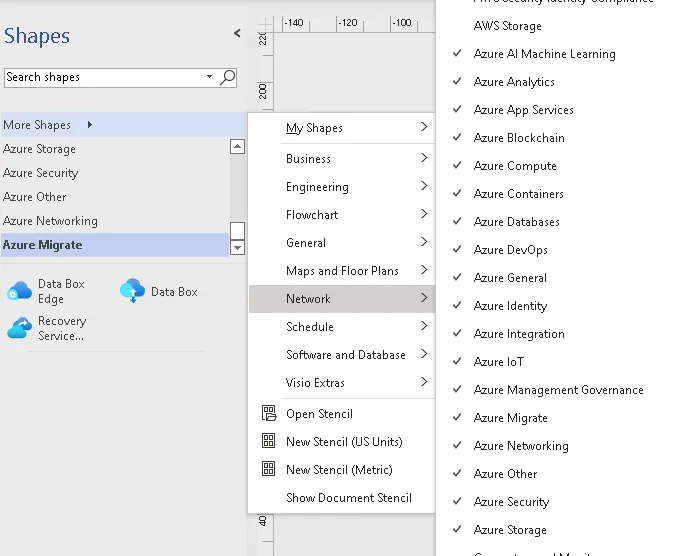
Azure architecture diagram templates
Section titled “Azure architecture diagram templates”Make use of the publicly available Azure design diagrams. You can find various freely available Azure design diagrams in Microsoft Visio format at the Azure Architecture Center website: https://docs.microsoft.com/en-us/azure/architecture/. Click on “Browse Azure Architectures”.

Azure architecture diagrams
You should be able to find at least one design blueprint which covers your scenario or at least find the closest match to your scenario and update it with your project’s custom requirements. Azure Architecture Center lists all available Azure design architectures by Microsoft product type and by Azure service category, as shown in the example screenshot below. In the below example, we are searching for occurrences of the term “multi-region” in Azure App-Service based deployments.
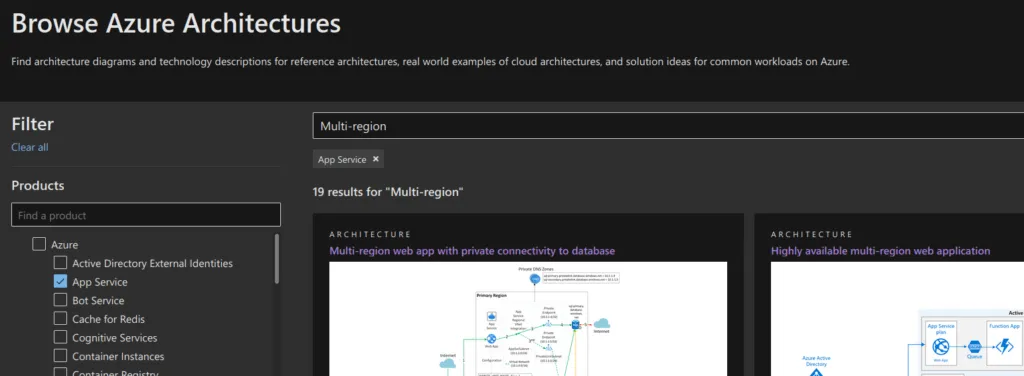
The Azure Architecture Center is ever-growing with new features being added every month. Check the changelog for more details.
Azure design blueprints
Section titled “Azure design blueprints”When creating Azure design blueprints, always follow the Azure Architecture Best Practices Guide, which is available in the Azure Architecture Center. Make use of the Azure Well-Architected Framework (WAF) which is part of the Azure Cloud Adoption Framework (CAF). Also make use of Azure Blueprints and Azure Landing Zones when creating your Azure detailed design.

4. TRACE-AI Execution Workflow
Section titled “4. TRACE-AI Execution Workflow”- Triage: Review monitoring dashboards or error metrics for initial anomaly spikes or timeout signatures.
- Record Evidence: Export service diagnostic logs, event viewers, or failure traces.
- Analyze: Correlate error signatures against known infrastructure or configuration limits.
- Correlate: Match active incident timeline against recent deployments or scale events.
- Execute & Verify: Apply corrective remediation steps and verify telemetry baseline recovery.
5. Vendor Documentation & Validation Guardrails
Section titled “5. Vendor Documentation & Validation Guardrails”- Authority Reference: Cross-reference configuration changes against official vendor documentation.
- Validation Gate: Require staging environment testing and Human-in-the-Loop SME approval before production changes.