How to deploy Microsoft .NET in Ubuntu Linux
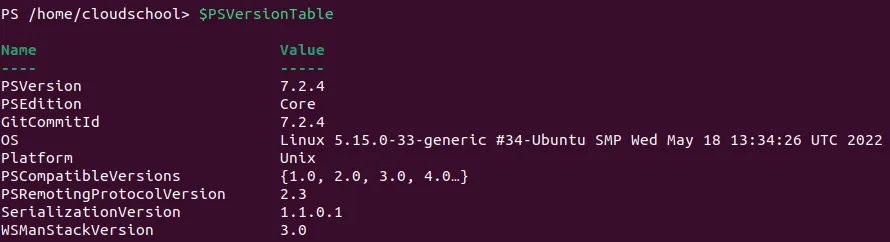
You need to deploy Microsoft .NET on your Linux machine. In this how-to article, we will discuss the .NET framework 6 on Ubuntu Linux LTS 22.04. The article provides guidance on how to deploy Microsoft .NET in Ubuntu Linux.
Solution
Section titled “Solution”Go through the following steps:
- Run the following commands in your Linux Ubuntu Powershell core terminal.
wget https://packages.microsoft.com/config/ubuntu/22.04/packages-microsoft-prod.deb -O packages-microsoft-prod.debsudo dpkg -i packages-microsoft-prod.debrm packages-microsoft-prod.deb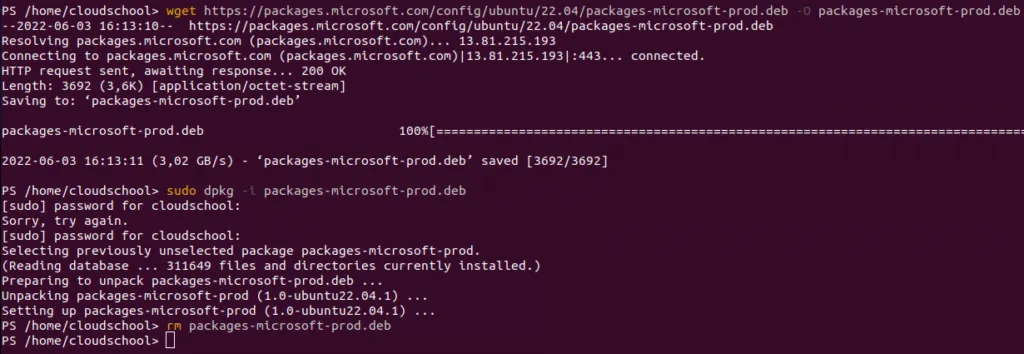
- Install the .NET SDK (instead of the runtime only) by running the following commands
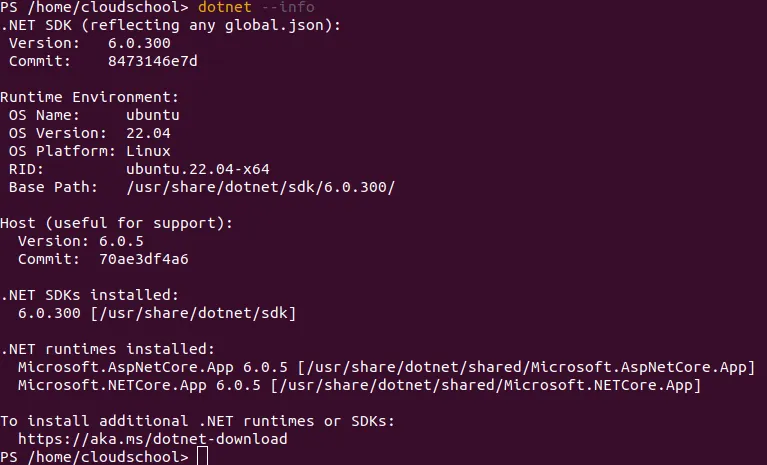
sudo apt-get updatesudo apt-get install -y apt-transport-https && sudo apt-get update && sudo apt-get install -y dotnet-sdk-6.0- To verify the .NET installation on your Ubuntu machine, run the following commands:
dotnet --list-sdksdotnet --list-runtimesdotnet --info
References
Section titled “References”https://docs.microsoft.com/en-us/dotnet/core/install/linux-ubuntu
4. TRACE-AI Execution Workflow
Section titled “4. TRACE-AI Execution Workflow”- Triage: Review monitoring dashboards or error metrics for initial anomaly spikes or timeout signatures.
- Record Evidence: Export service diagnostic logs, event viewers, or failure traces.
- Analyze: Correlate error signatures against known infrastructure or configuration limits.
- Correlate: Match active incident timeline against recent deployments or scale events.
- Execute & Verify: Apply corrective remediation steps and verify telemetry baseline recovery.
5. Vendor Documentation & Validation Guardrails
Section titled “5. Vendor Documentation & Validation Guardrails”- Authority Reference: Cross-reference configuration changes against official vendor documentation.
- Validation Gate: Require staging environment testing and Human-in-the-Loop SME approval before production changes.