How to check if an Office 365 tenant domain name is available
You need to check if an Office 365 tenant domain name is available or already registered by someone else.
Solution
Section titled “Solution”- Make use of the following service: https://o365.rocks/. There you will be able to do a quick check for the availability of a tenant name in Office 365.
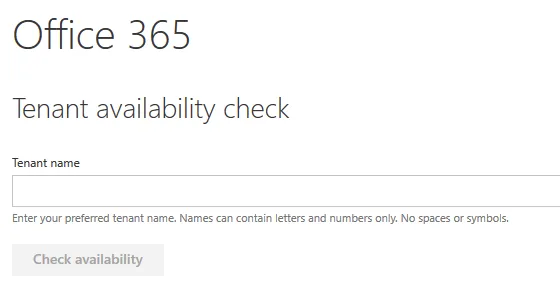
- Make use of the PowerShell script available at:
- Make use of the Powershell script available at Microsoft Technet Gallery: https://learn.microsoft.com/en-us/Check-domain-registration-2fb6d097. This script can be used to determine, if a domain is already registered or verified in an Office 365 or Azure Active Directory tenant or if it is not used in any tenant.The purpose is to make troubleshooting for user login errors in Office 365.
Source
Section titled “Source”4. TRACE-AI Execution Workflow
Section titled “4. TRACE-AI Execution Workflow”- Triage: Review monitoring dashboards or error metrics for initial anomaly spikes or timeout signatures.
- Record Evidence: Export service diagnostic logs, event viewers, or failure traces.
- Analyze: Correlate error signatures against known infrastructure or configuration limits.
- Correlate: Match active incident timeline against recent deployments or scale events.
- Execute & Verify: Apply corrective remediation steps and verify telemetry baseline recovery.
5. Vendor Documentation & Validation Guardrails
Section titled “5. Vendor Documentation & Validation Guardrails”- Authority Reference: Cross-reference configuration changes against official vendor documentation.
- Validation Gate: Require staging environment testing and Human-in-the-Loop SME approval before production changes.