Citrix Virtual Apps and Desktops stuck at installing
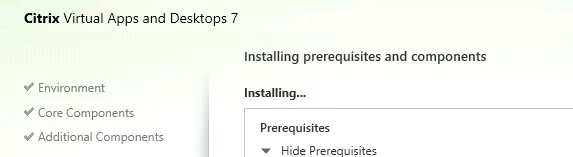
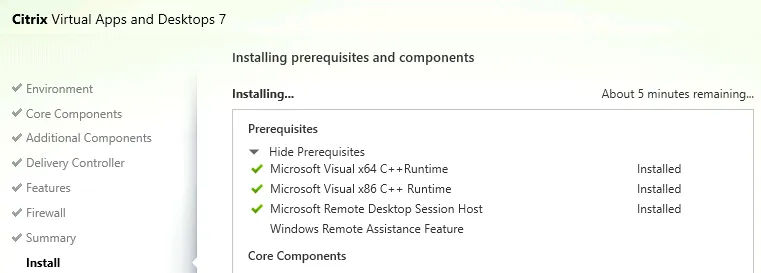
Your Citrix Virtual Apps and Desktops (CVAD) software installer is stuck at installing phase and the pre-requisites are never installed.
Solution
Section titled “Solution”This issue usually has a quick solution. First of all ensure that your machine meets the minimum hardware requirements for the CVAD roles you are planning to install.
Secondly, install the “Media Foundation” feature before installing your VDA software. If the issue still persists after installing the “Media Foundation” feature on the target machine, then you should manually install the required prerequisites before beginning the VDA installation.
You should afterwards relaunch the installer and you should be good to go.
4. TRACE-AI Execution Workflow
Section titled “4. TRACE-AI Execution Workflow”- Triage: Review monitoring dashboards or error metrics for initial anomaly spikes or timeout signatures.
- Record Evidence: Export service diagnostic logs, event viewers, or failure traces.
- Analyze: Correlate error signatures against known infrastructure or configuration limits.
- Correlate: Match active incident timeline against recent deployments or scale events.
- Execute & Verify: Apply corrective remediation steps and verify telemetry baseline recovery.
5. Vendor Documentation & Validation Guardrails
Section titled “5. Vendor Documentation & Validation Guardrails”- Authority Reference: Cross-reference configuration changes against official vendor documentation.
- Validation Gate: Require staging environment testing and Human-in-the-Loop SME approval before production changes.