Citrix VAD local host cache vs connection leasing
Introduction
Section titled “Introduction”Citrix Virtual Apps and Desktops (VAD) Local Host Cache (LHC) is a high availability mechanism which, when enabled, allows end user connections to be established even when the Citrix VAD database instance is not online/available. Citrix LHC mechanism is replacing the older DB Connection Leasing mechanism. Connection Leasing will eventually be deprecated in subsequent versions of Citrix VAD. This article provides a cross comparison of Citrix VAD local host cache vs connection leasing.
The following graphic illustrates the Local Host Cache components and communication paths during normal operations.
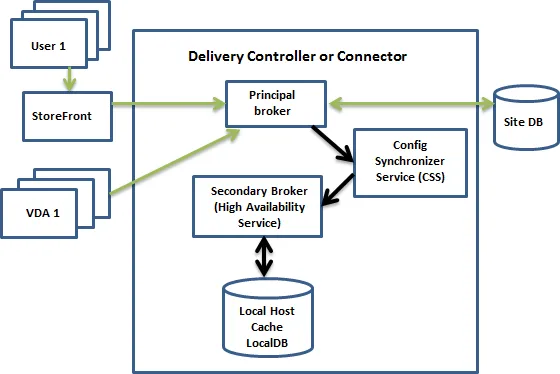
Local Host Cache
Section titled “Local Host Cache”If you have 10,000 or fewer VDAs per zone (up to 40,000 VDAs per multi-zone site/farm), you can enable Local Host Cache (LHC) instead of Connection Leasing. LHC allows new sessions to be started even if SQL database is unavailable.
From Local Host Cache sizing and scaling at Citrix Docs:
- For LHC LocalDB, assign the Controller VMs a single socket with multiple cores.
- Add two cores for LHC.
- Add at least three more Gigs of RAM and watch the memory consumption.
- Since there’s no control over LHC election, ensure all Controllers have the same specs.
- The Docs article has scripts for monitoring LHC performance.
From XenApp 7.12, LHC and a reboot at Citrix Discussions:
- If the rebooted DDC is the elected one, a different DDC will take over (causing registration storm) and when the DDC gets back, it will take over brokering causing second registration storm. Site will sort itself out and all will work.
- If the rebooted DDC is not the elected one, it will not impact any functionality.
- If you turn the DDC down when site is working, and start it during outage, LHC will not trigger on that machine. This DDC will not impact the LHC unless it would become the elected one. In that scenario it will take control, however not start LHC and resources would not be available.
Trentent Tye at Citrix XenDesktop/XenApp 7.15 – The local host cache in action has a video showing LHC in action. 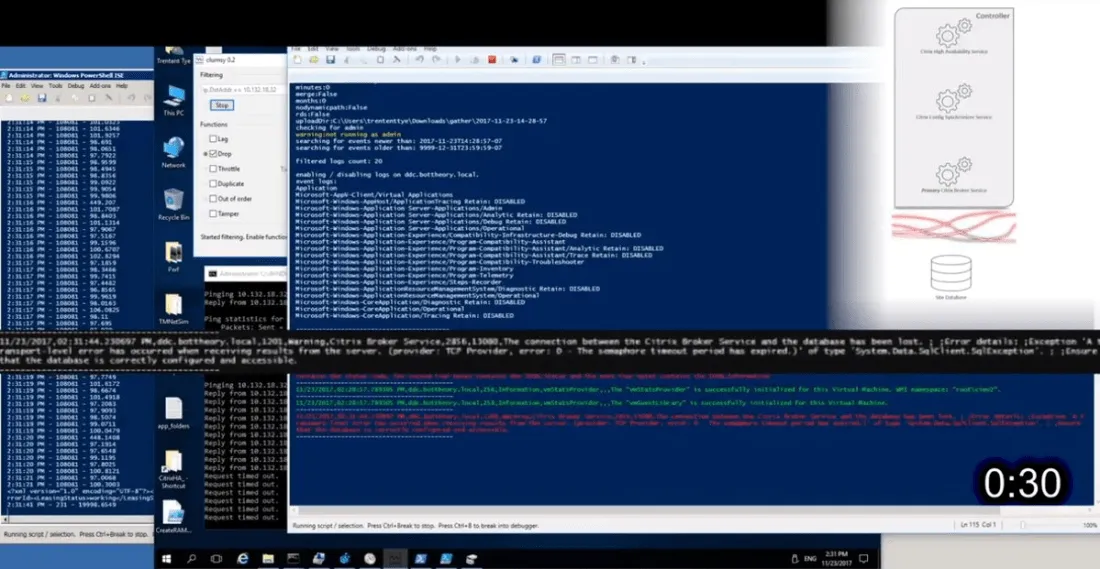
As mentioned by Citrix Docs, make sure PowerShell Execution Policy is set to RemoteSigned, Unrestricted, or Bypass. 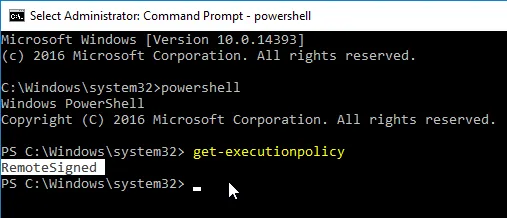
If you did a fresh install of 1912 Cumulative Update 1, then Local Host Cache should be enabled by default. You can run **Get-BrokerSite** to confirm. (run **asnp citrix.*** first). 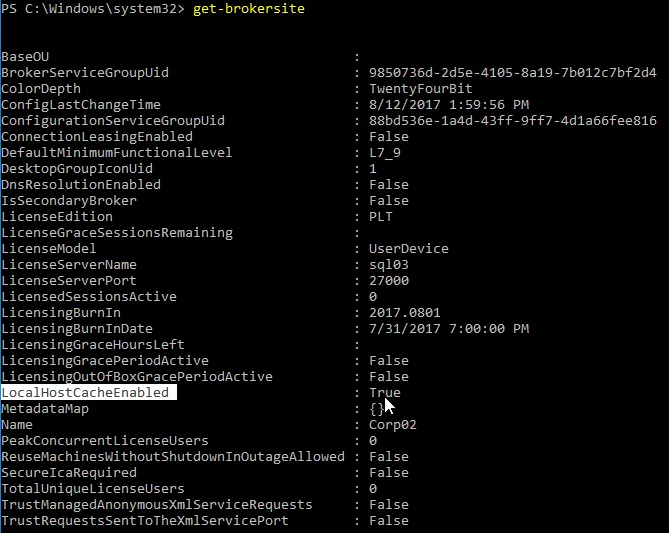
If LHC is not enabled, you can run some PowerShell commands to enable Local Host Cache:
asnp citrix.*Set-BrokerSite -ConnectionLeasingEnabled $falseSet-BrokerSite -LocalHostCacheEnabled $true
George Spiers Local Host Cache XenApp & XenDesktop shows the Event Log entries when LHC is enabled.
Sources
Section titled “Sources”Carl Stalhood provides step by step guidance for enabling Local Host Cache (LHC) in Citrix Virtual Apps and Desktops (VAD) LTSR 1912. The notes in this post are extracted from Carl Stalhood blog post available at:
https://www.carlstalhood.com/delivery-controller-1912-ltsr-and-licensing/#lhc
Other sources
Section titled “Other sources”- https://docs.citrix.com/en-us/xenapp-and-xendesktop/7-15-ltsr/manage-deployment/local-host-cache.html
- https://www.citrixguru.com/2017/05/02/never-ending-citrix-local-host-cache-story/
- https://www.basvankaam.com/2014/10/06/citrix-connection-leasing-vs-local-host-cache-cl-doesnt-stand-a-chance/
- https://blog.citrix24.com/xendesktop-7-15-local-host-cache-explained/
4. TRACE-AI Execution Workflow
Section titled “4. TRACE-AI Execution Workflow”- Triage: Review monitoring dashboards or error metrics for initial anomaly spikes or timeout signatures.
- Record Evidence: Export service diagnostic logs, event viewers, or failure traces.
- Analyze: Correlate error signatures against known infrastructure or configuration limits.
- Correlate: Match active incident timeline against recent deployments or scale events.
- Execute & Verify: Apply corrective remediation steps and verify telemetry baseline recovery.
5. Vendor Documentation & Validation Guardrails
Section titled “5. Vendor Documentation & Validation Guardrails”- Authority Reference: Cross-reference configuration changes against official vendor documentation.
- Validation Gate: Require staging environment testing and Human-in-the-Loop SME approval before production changes.